



 647-812-5125






Why a WooCommerce to Shopify Migration Isn’t a Simple Export
Years working across WordPress, WooCommerce, and Shopify
Data loss, backed by structured mapping and verified validation
Uptime — your WooCommerce store stays live while Shopify is built separately
Typical timeline to migrate and launch most WooCommerce stores
Common Risks When Migrating from WooCommerce to Shopify

Will I lose SEO Rankings when migrating from WooCommerce to Shopify?
Not necessarily. We prioritize protecting your rankings during the move. WooCommerce page addresses may change to Shopify’s /products/ and /collections/ structure, so we map old URLs to relevant new pages, implement 301 redirects and preserve important content and metadata. Rankings can fluctuate while search engines process the changes, so we monitor performance after launch.

How does my WooCommerce store’s functionality move to Shopify?
WooCommerce plugins don’t transfer to Shopify — the function behind them gets rebuilt instead. Nearly every WooCommerce store leans on plugins for things like custom pricing, subscriptions, filters, or checkout tweaks. Shopify’s architecture is different, so that behavior is recreated with native features, a vetted app, or a controlled custom build. The trouble starts when people assume plugin logic just carries over. Evaluate each feature and rebuild it deliberately, and the Shopify store usually ends up running cleaner than the original did.

Will my products, customers, and order history transfer correctly?
Yes, as long as the data is mapped properly. WooCommerce and Shopify store information differently, so product variants, attributes, categories, customer records, and order history all need to be lined up against Shopify’s structure before the transfer. Problems show up when fields don’t match or details get skipped — which is why we map everything first and then check it inside Shopify before launch, rather than assuming the import got it right.

Will my WooCommerce store go offline during migration?
No, not with proper planning. Your current store stays live the whole time — the new Shopify store is built in a separate development space through our Shopify Partner account, and the switch only happens once design, data, functionality, and redirects have all been tested. Downtime really only creeps in when the domain gets pointed at the new store before everything’s verified. Make the switch carefully, after checking checkout, redirects, and key settings, and customers keep shopping without noticing a thing.

Will checkout and payments work the same after migrating to Shopify?
For most WooCommerce stores, yes. Shopify’s standard checkout covers what the majority of DTC and many B2B brands need — major payment gateways, common shipping and tax setups — so customers rarely feel a difference. Where it changes is deep customization. On standard plans you can’t heavily modify the checkout itself, so if your WooCommerce store relies on custom checkout fields, conditional logic, or a heavily altered flow, that may need Shopify Plus, which sits at a different price point. The honest test is how custom your current checkout is: fairly standard, and you’re fine; heavily customized, and it’s worth reviewing those requirements before you commit to a plan.
Our WooCommerce to Shopify Migration Services
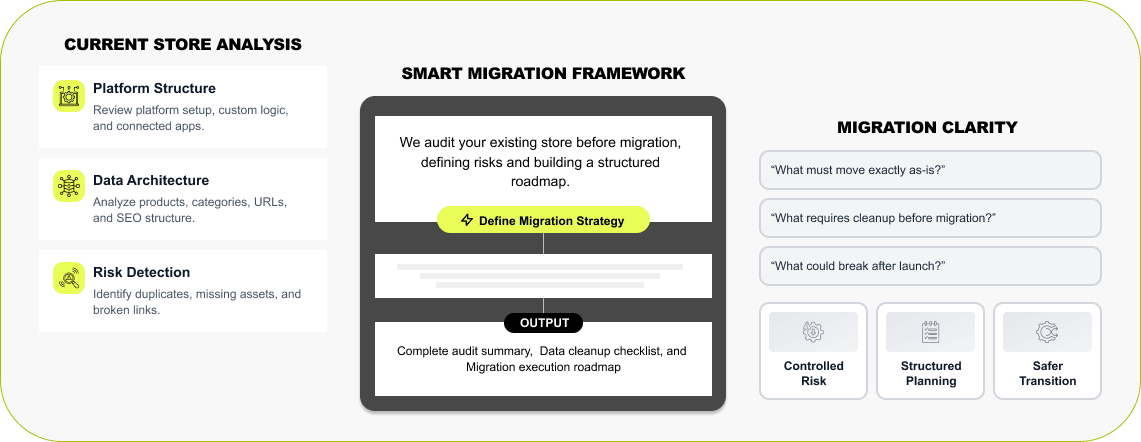

Step 1 — WooCommerce Architecture Review
Every migration starts with understanding how your store works right now. We go through the current setup — active plugins, product data, URL structure, SEO configuration — to see how it all connects behind the scenes. AI tooling helps surface gaps quickly, but nothing rides on automation alone; each piece gets a manual review, so your data, structure, and functionality are properly lined up before the move to Shopify.
Read More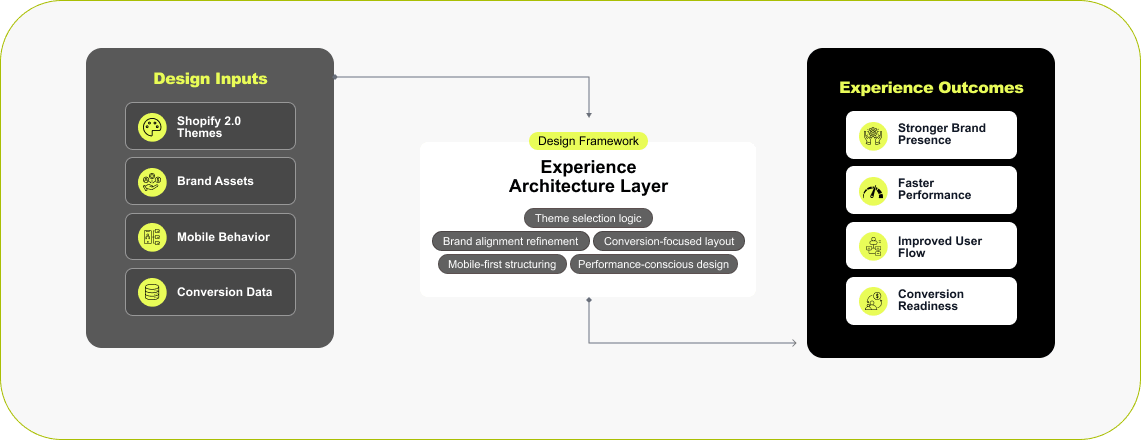

Step 2 — Shopify Store Framework & Setup
A move to Shopify is often the moment brands rethink the storefront. Some take the chance to redesign for better mobile performance and faster load times; others want to keep their current look but have it run better. We’ll help you pick the right Shopify theme or build a custom layout to your brand guidelines — and if you’d rather keep the existing design exactly, we can recreate it inside Shopify too.
Read More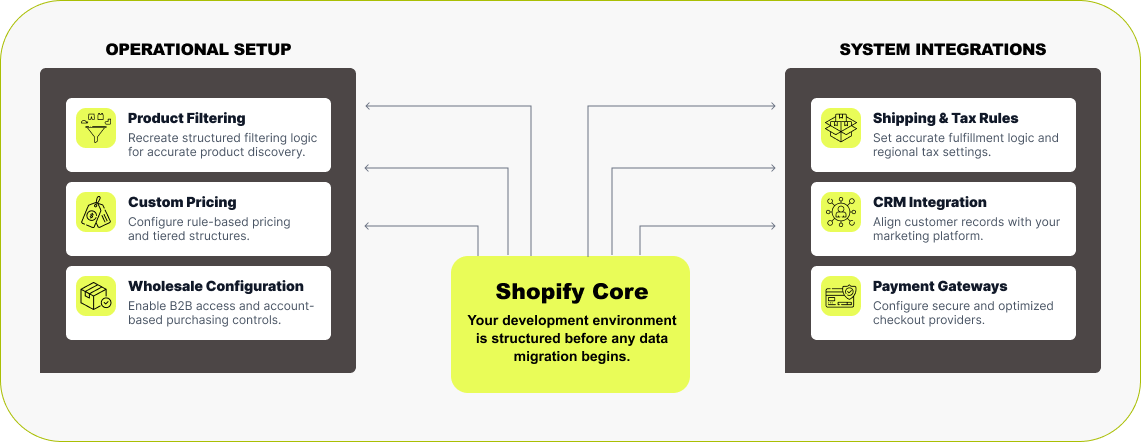

Step 3 — Functionality Rebuild & Feature Alignment
Next, we set up a Shopify development store — through our Partner account, so you’re not paying for a plan mid-build — and recreate the features your business runs on. We go through the WooCommerce setup in detail: filters, product variants, pricing rules, memberships, wholesale logic, any connected tools, so nothing slips through when it’s rebuilt in Shopify. Shipping, taxes, and payment gateways get configured ahead of time, so the store is ready to operate before any data moves over.
Read More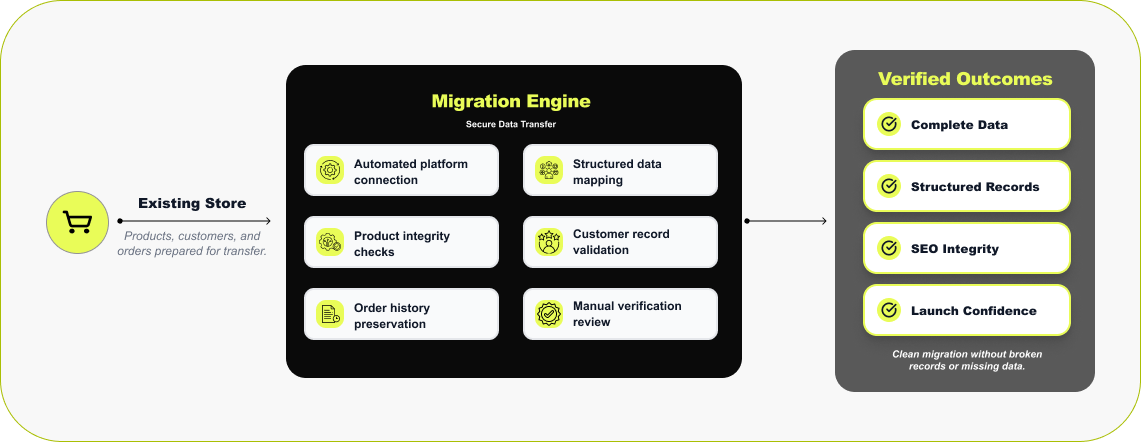

Step 4 — WooCommerce Data Transfer & Validation
With the store built, the data comes across. We usually run this through a trusted migration stack — tools like LitExtension or Cart2Cart for standard catalogs, and Matrixify when a migration is large or complex and needs bulk control over how data maps. These connect directly to WooCommerce and move products, customer accounts, and past orders into Shopify. Once the transfer finishes, our team reviews the data by hand inside Shopify: products, collections, orders, and customer accounts all get checked to confirm everything came over correctly.
Read More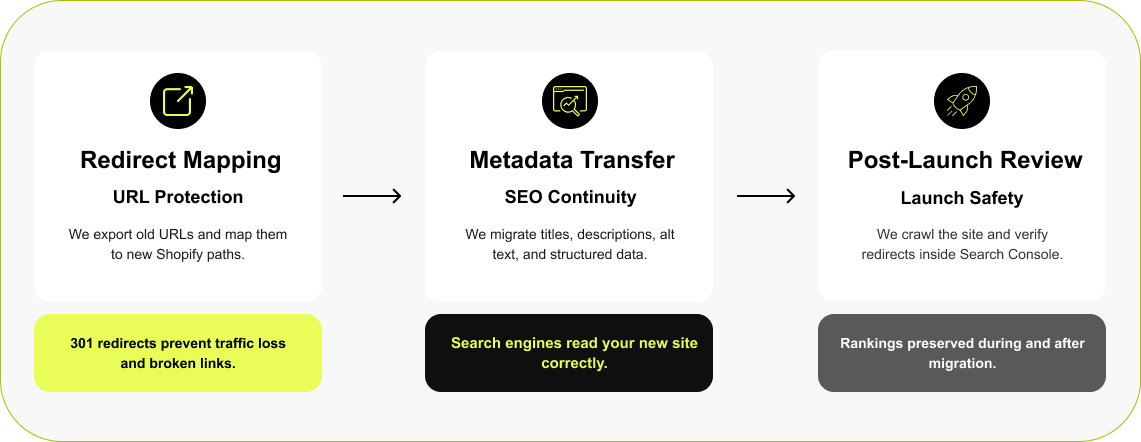

Step 5 — Protecting Rankings During Migration
URLs change when you replatform from WooCommerce to Shopify — WooCommerce builds them around categories, Shopify follows its own /products/ and /collections/ pattern — and if the old links aren’t handled, search engines keep hitting pages that no longer exist. So before launch we pull and review the existing WooCommerce URLs and connect each one to its closest Shopify match with a 301 redirect. At the same time, the SEO details from the old site — titles, descriptions, image alt text, schema — carry over, so the new store keeps the signals search engines were already using.
Read More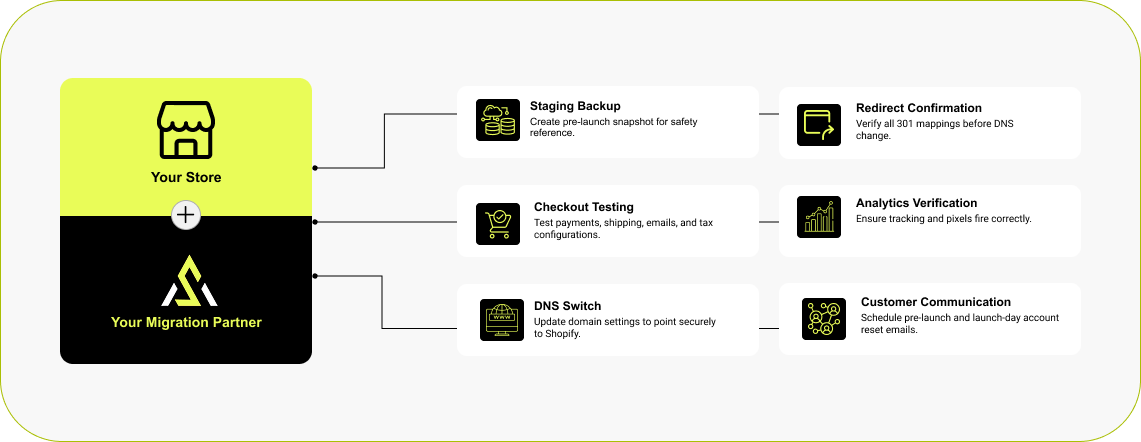

Step 6 — Launch & Communication Strategy
Going live is handled step by step. Before launch, we take a reference copy of your WooCommerce store and run final checks on checkout, forms, redirects, analytics, shipping and payments. We reconcile new orders, customer records and inventory changes made since the initial transfer, agreeing a brief checkout pause where necessary. We then switch the domain to Shopify and check the live store. Customer communication explains the new sign-in process and how to access migrated order history.
Read MoreShopify Stores Designed to Perform in Real-World Ecommerce
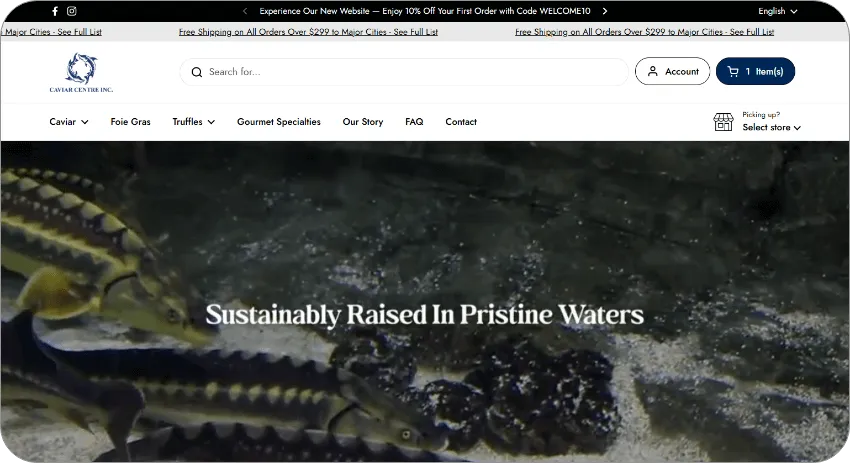
The stores below were built to fix real problems — slow performance, cluttered layouts, weak conversion, platforms that had run out of room. We design around structure, speed, and usability, so each Shopify store works reliably day to day and holds up as traffic, features, and catalog grow.



Luxury Fashion
A luxury fashion brand redesigned with a refined, editorial feel—built to support a growing roster of designers while staying fast, structured, and scalable.



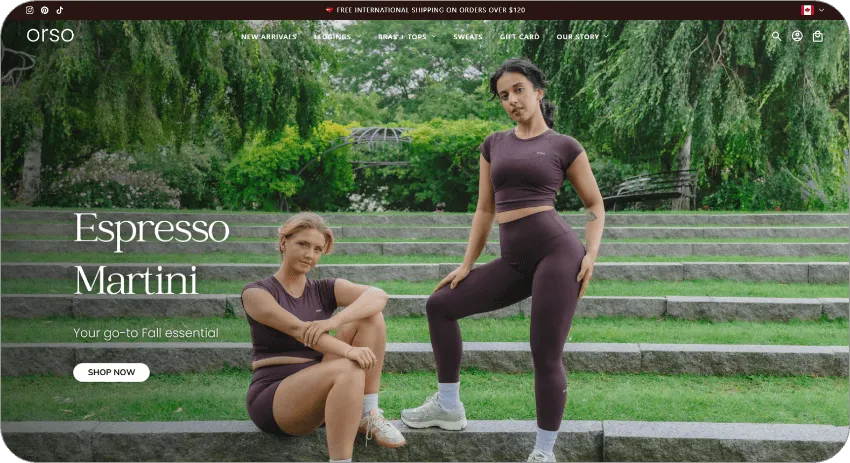
Women’s Activewear
A performance-focused Shopify design tailored for a women-led fitness brand, balancing strong visuals with frictionless shopping.



Fencing Products
A full Shopify redesign paired with SEO, marketing, and ongoing maintenance for a product-heavy, search-driven business.



Luxury Bedding Manufacturing
We supported this Shopify Plus brand with focused social media marketing, aligning campaigns with seasonal demand and high-intent audiences to drive efficient, scalable growth.
How Much Does WooCommerce to Shopify Migration Cost?
Every WooCommerce store is built a little differently, so the cost tracks what actually has to be rebuilt. A standard catalog with a few plugins is straightforward; a store running custom features, subscriptions, wholesale rules, detailed SEO setups, and third-party integrations needs more work to recreate in Shopify. As a rough guide, projects fall into three bands:

Small store
(under 500 SKUs, standard platform)
Standard catalog, minimal plugins, little custom logic.

Mid-size store
(500–5,000 SKUs, some custom features)
A larger catalog with some custom features, subscriptions, or integrations

Large / complex store
(5,000+ SKUs, ERP/CRM, custom build)
Heavy customization, wholesale/B2B, or many connected systems
The cleanest way to know your number is a scoped estimate against your real store. Ballpark it with our Shopify cost calculator, see how migration pricing breaks down in our cost guide, or request a free estimate and we’ll size it for you.
Scoped within 48 hours
Trusted by Modern Marketing & Growth Teams

Outstanding WooCommerce to Shopify Migration
“We hired Ecommerce Development Pros for our WooCommerce to Shopify migration and they did an outstanding job. Smooth transition, clear communication, and everything worked perfectly after launch.”

Trusted Shopify Technical Partner — WooCommerce to Shopify Migration
“Moving platforms felt overwhelming at first (we were nervous about SEO and data loss), but they handled the entire process carefully and professionally. Our new Shopify store is faster, easier to manage, and overall much more stable. It honestly feels like we finally have the right foundation to grow.”

Patient, Diligent, and Committed to Perfection
“They were very patient, took their time, and worked diligently until I was happy with the final outcome. If I wasn't satisfied, they continued refining the work until I gave my approval. You can trust this team. They assess your needs, and quote you a fair price. They will keep working until you are satisfied with the end product.”
Brands Who Build, Grow, and Win With Us
WooCommerce to Shopify Migration FAQ
When a business starts weighing a move from WooCommerce to Shopify, the same handful of questions come up — how long, how much, what happens to SEO, products, hosting, and existing features. Straight answers below, based on the migrations we’ve run and the issues we see most often.
How long does the WooCommerce to Shopify migration take?
+Most projects land in a 3-to-8-week window, with store size and complexity driving where you fall. A small, mostly standard catalog moves fast. Larger stores — lots of SKUs, plugins, subscriptions, wholesale rules, or complicated SEO — need extra planning and testing. The work runs through a few stages: auditing the existing WooCommerce setup, rebuilding the key features in Shopify, moving and checking the data, setting up redirects, and testing checkout before launch.
How much does a WooCommerce to Shopify migration cost?
+How do you check my WooCommerce data after migration?
+We compare the imported products, customer records and historical orders against the agreed source data. Checks cover record counts, key fields, product variants, images and order details. Any exceptions are reviewed before launch.
Can I migrate WooCommerce subscriptions or memberships?
+Yes, but compatibility must be checked. We review your WooCommerce subscription plugin, payment gateway and billing schedules before rebuilding recurring billing with a Shopify-compatible app. Whether saved payment methods can transfer depends on compatibility; some customers may need to update their payment details. Membership access and renewal rules are assessed separately before launch.
Do WooCommerce product reviews migrate to Shopify?
+They can. Reviews live as structured data in WooCommerce, and that data can be exported and imported into Shopify review apps that support bulk uploads. Star ratings, written feedback, reviewer names, and dates all carry over as long as they’re in the export. It’s mostly a formatting and mapping job.
Do customer passwords transfer during a WooCommerce to Shopify migration?
+No—existing WooCommerce passwords do not transfer through a standard migration. With Shopify customer accounts, shoppers sign in using an emailed verification code without creating a password. If legacy accounts are used, customers activate their account and set a new password. We prepare clear sign-in instructions before launch.
Can I keep my existing domain when moving from WooCommerce to Shopify?
+Yes. When the Shopify store is ready, we update your domain’s DNS records to point at it. Customers won’t notice anything except a refreshed design or a smoother experience — the address stays the same.
Can I migrate WooCommerce to Shopify myself, or do I need help?
+You can move basic data yourself with a migration tool, and for a small, standard catalog that may be all you need. The harder parts are the ones that don't come up until you're in them — rebuilding plugin functionality, mapping custom fields, setting up 301 redirects so you don't lose SEO, and confirming nothing broke in the transfer. That's where most DIY migrations stall or quietly lose data. If your store has custom features, subscriptions, or real SEO traffic to protect, it's worth having someone who's done it before handle the move.
Trusted Migration & Technology Partners